Local Processing Local CPU
Merge, Split, Rotate & Page Tools
Reorder pages, merge multi-file collections, extract intervals, and rotate orientations. Runs entirely via local CPU algorithms inside your process.
An offline, resource-bounded PDF reader built with Rust and Google PDFium. Zero telemetry, zero accounts, and zero cloud lock-in.
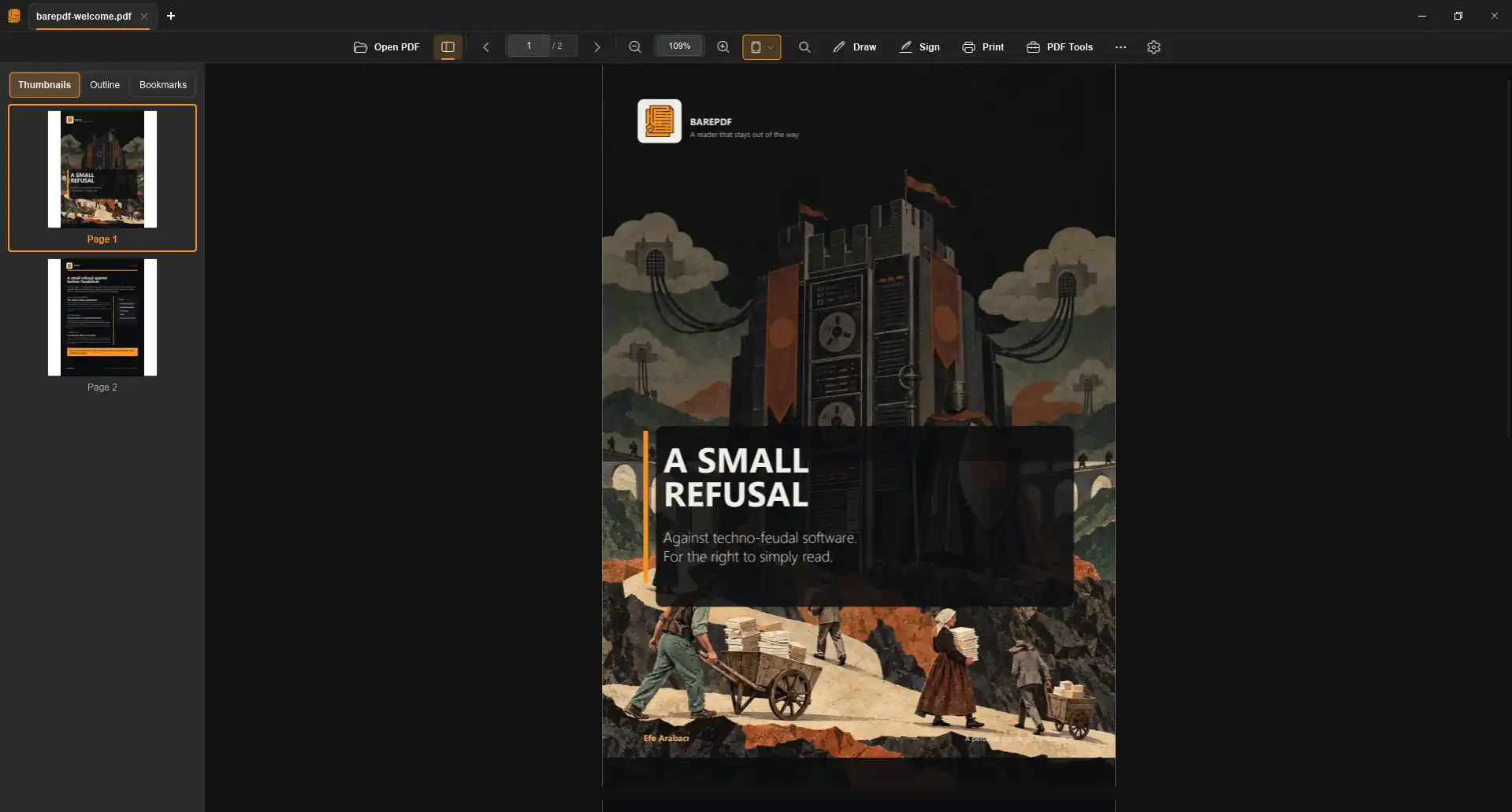
Actual release interface running on Windows 11. Fluent dark theme, integrated thumbnail navigation, and keyboard-driven HUD.
Asset numbers reflect the raw GitHub release asset download counter at site build time. They represent binary retrievals (including CI runners and repeated downloads), not unique active users. BarePDF transmits 0 analytics pings, sets 0 tracking cookies, and runs offline by default.
Recorded using the repository benchmark script on Windows 11. No estimated numbers or speculative marketing charts.
Modern document tools often extract user attention and system resources to feed cloud platforms. BarePDF is built on an explicit series of architectural refusals.
crates/barepdf-platform-windows BarePDF contains 0 analytics SDKs, 0 user activity pings, and 0 identifier cookies. Reading activity stays entirely on your personal processor.
apps/barepdf/src/presentation/state.rs No email forms, subscription countdowns, paywalls, or cloud dependencies. When you launch BarePDF, you immediately open documents.
crates/barepdf-ui The interface remains uncluttered. There are no sponsored banners, marketing sidebars, or intrusive modal dialogs urging you to upgrade to AI tiers.
apps/barepdf/src/infrastructure/update Document parsing, bitmap rendering, annotations, and page tools run strictly via local CPU instructions. Network connectivity is used only if you explicitly choose to check for updates.
Every feature runs locally in your machine process without requiring external cloud subscriptions, telemetry trackers, or background sync services.
Reorder pages, merge multi-file collections, extract intervals, and rotate orientations. Runs entirely via local CPU algorithms inside your process.
Highlight text with glyph-accurate vector coordinates, draw ink lines with full undo/redo stack, and place typewriter text annotations on any page.
Jump to specific page numbers, toggle paper reading tints, switch view modes, or trigger tools without moving your hands away from the keyboard.
Continuous vertical scrolling, focused single-page view, two-page side-by-side spread, and cover-aware book view layout.
Sepia for long daytime reading sessions, dark night tones for low-light rooms, Amber warmth, and high-contrast color inversion.
Direct high-resolution printing pipeline via native Win32 printer dialogs. Dedicated shell provider generates crisp PDF thumbnails inside Windows Explorer.
Synchronized directly from the default branch on every site deployment.
Whether you are configuring desktop shortcuts or compiling from source with Cargo and PDFium, consult our documentation.